Post
EN

DataDog

데이터독이란 무엇인가?

![]()

다양한 애플리케이션 데이터 소스를 가지고 성능과 모니터링을 할 수 있고 대쉬보드를 만들 수 있다.

성능 메트릭, 통계를 만들어서 사용할 수 있다.

데이터독은 3가지 방법으로 데이터를 수집한다

![](/assets/images/posts/222066902705/14b5eae1262f.png?type=w580)

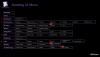
데이터독에서 제공되는 UI 메뉴

![](/assets/images/posts/222066902705/0c2804609ffe.png?type=w580)

인프라스트럭처

![](/assets/images/posts/222066902705/398f9a2fc1f0.png?type=w580)

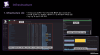
에이전트를 설치하게되면, 각 서버별 CPU, IO 부하, 애플리케이션 등을 확인할 수 있다.

(서버마다 설치를 하게되서 동작하는 방식인가 봄.)

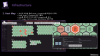
host map
![](/assets/images/posts/222066902705/5dcea90d9740.png?type=w580)

Live Process

![](/assets/images/posts/222066902705/ce085ae0c8e9.png?type=w580)

Serverless

![](/assets/images/posts/222066902705/3e6ea5b8f192.png?type=w580)

tag는 agent에서 설정하거나 aws에서 설정한 것이 들어온다.

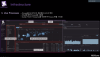
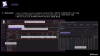
infrastructure 대시보드를 통해서 현재 점유율이 높은 내역들이나, 사용량대로 정렬해서 볼 수 있다.

Grouping은 tag를 최대 3가지로 나눠서 묶어서 볼 수 있다.

NPM
![](/assets/images/posts/222066902705/ab3653341609.png?type=w580)

network map

![](/assets/images/posts/222066902705/564833612796.png?type=w580)

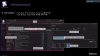
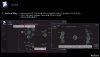
애플리케이션 간에 연동되는 통신을 모니터링 할 수 있다.

네트워크 볼륨, 트래픽 량을 상세적으로 볼 수 있다.

단, 모니터링을 하기 위해서는 통신하는 서버 별로 Agent가 설치되어 있어야 하고, 설치가 안되어 있다면 N/A로 나타난다.

APM
![](/assets/images/posts/222066902705/62b8a1d2c1ed.png?type=w580)

Service Performance Dashboards

![](/assets/images/posts/222066902705/2b76cc8a6b06.png?type=w580)

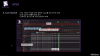
request, error, latency 등을 시각화해서 보여준다.

Live Search
![](/assets/images/posts/222066902705/08583a3f8893.png?type=w580)

Connect Logs And Distributed Traces

![](/assets/images/posts/222066902705/a20e9232d24a.png?type=w580)

DataDog의 최대 장점이라고 한다.

![](/assets/images/posts/222066902705/6a8c8a9519f5.png?type=w580) ![](/assets/images/posts/222066902705/f1bc21dabc0b.png?type=w580)

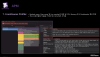
메서드 명, 클래스 명, 라인 번호등으로 구분해서 프로파일링을 지원해준다.
![](/assets/images/posts/222066902705/6781bd367055.png?type=w580)

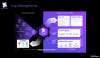
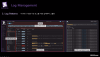
Log Management

![](/assets/images/posts/222066902705/00760954d6cf.png?type=w580)

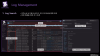
로그 저장 기간동안 인덱싱되서 조회가 가능하다. 현재는 15일로 되어있음

저장 기간이 지나도 커스텀 메트릭 기능으로 조회할 수 있도록 지원한다.
![](/assets/images/posts/222066902705/b5cef353886f.png?type=w580) ![](/assets/images/posts/222066902705/bc5a162185a2.png?type=w580)

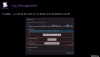
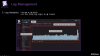
유사한 로그들을 자동으로 패턴으로 그룹핑을 해줌

클릭하게되면 실제로 그룹핑된 내역을 볼 수 있다.
![](/assets/images/posts/222066902705/35326be59ceb.png?type=w580) ![](/assets/images/posts/222066902705/5bd79ce6e3ed.png?type=w580) ![](/assets/images/posts/222066902705/927ca96ef3e6.png?type=w580)

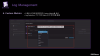
비용 효율적이란 단어가 나오는 것을 보면, 로그 처리 부분에서 많이 발생되나 봄.

인덱싱 기간이 비용과 비례해서 증가한다고 함.
![](/assets/images/posts/222066902705/e0fce5892c90.png?type=w580)

Dashboard

![](/assets/images/posts/222066902705/759116465307.png?type=w580) ![](/assets/images/posts/222066902705/a62a7664a266.png?type=w580)

위젯은 놓침..

와치독을 걸어두면, 특정 시스템 장애가 발생되었을 때, 어떤 이유로 발생되었는지 확인할 수 있도록 도움을 준다.

강력한 기능중에 하나는 composite 이다.

단계를 지정해서 알람 수를 최적화 할 수 있다.

This article is licensed under CC BY 4.0 by the author.